Every October, the security world throws its biggest awareness campaign, and every November, most small businesses are exactly as exposed as they were in September. Let's not do that this year. Cybersecurity Awareness Month is a global initiative, and this year's edition comes with themes, toolkits, and free federal resources. But what a Maryland business actually needs is a short list of things to do. Here are ten, in order, each sized for a real week at a real company. Do them all and you'll enter November measurably harder to rob than 90% of the businesses on your block.
First, What Is Cybersecurity Awareness Month?
The short version: every October since 2004, the federal government and the nonprofit sector have teamed up to make security less mysterious. CISA's campaign (the Cybersecurity and Infrastructure Security Agency is the federal lead) works alongside the National Cybersecurity Alliance (NCA), and together they've spent two decades pushing the same sensible basics to businesses, schools, and state, local, tribal and territorial governments alike.
This year has two banners. This year's theme from CISA, Securing the Next 250, ties the campaign to America's 250th birthday and the job of protecting the country's digital future; the NCA is running "Don't Make It Easy for Them," which is the whole philosophy of small-business security in six words. The month is a global initiative at this point, celebrated well beyond the U.S., and the prior multi-year Secure Our World campaign gave it the four core habits you'll see woven through this list.
Grab the free materials before you start: the Cybersecurity Awareness Month 2026 toolkit on CISA's resources page has posters, email templates, and presentations, and the Alliance's Champion program adds a weekly kit. They raise awareness; the next ten sections raise your defenses. Now, the actions.
Action 1: Take Twenty Minutes of Honest Stock
Before fixing anything, know what you have. List your critical systems (email, point-of-sale, accounting, customer files, the server in the closet) and who can get into each. Write down which of them would stop the business cold if they vanished on a Tuesday. That list is your priority order for everything below.
While you're at it, list the people: who has admin rights, which ex-employees might still have working logins, and which vendors can reach into your systems. Most Maryland small businesses discover at least one surprise in this exercise, usually a departed employee's account that still works or a vendor login nobody remembers approving.
Twenty minutes, one page, done. Security for a small company isn't about buying things first; it's about seeing clearly first. Everything else this month builds on this page.
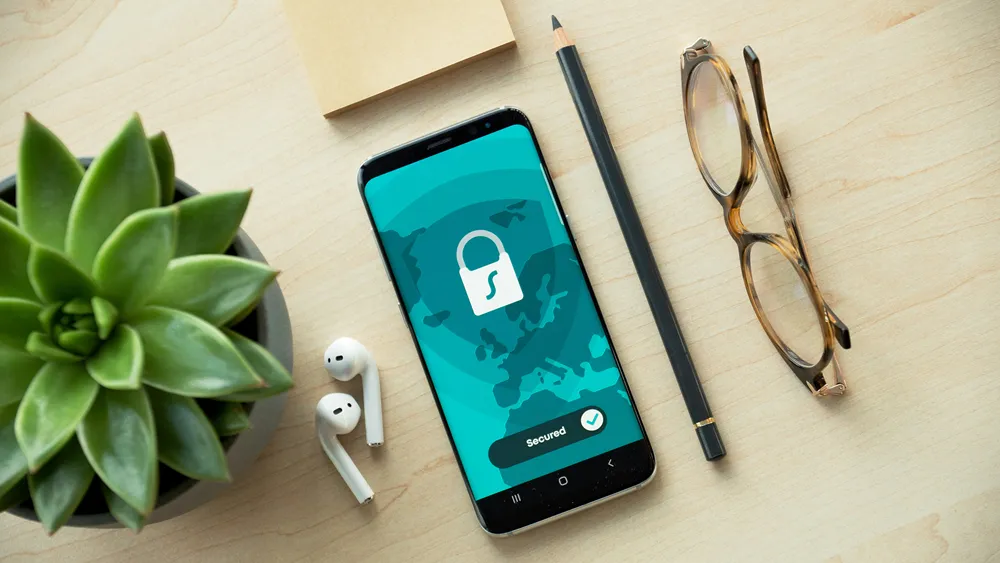
Action 2: Turn On Multi-Factor Authentication Everywhere
If you do exactly one thing this October, do this. Multi-factor authentication, the code from an app that proves you're you, blocks the vast majority of account-takeover attempts even when the password has already been stolen, and it's free on virtually every service you use. It's also the first of the campaign's Core 4 behaviors for a reason.
Start with email, because email resets everything else. Then banking, payroll, accounting, and your social media accounts, in that order. Use an authenticator app rather than text messages where you can, and enroll every employee, including the owner. Especially the owner; attackers read org charts too.
Expect a little grumbling for a week, then silence forever. It's the highest return on twenty minutes available anywhere in business security, and it costs exactly nothing.
Action 3: Retire the Sticky Notes — Get a Password Manager
Strong passwords beat clever passwords, and nobody can memorize thirty of them, which is why the answer is a password manager: one vault, one strong master password, unique logins for everything else. This is the second Core 4 habit, and it quietly ends password reuse, the bad practice behind a huge share of small-business break-ins.
Roll it out the easy way: pick a reputable business-tier manager, pay the few dollars per user, and run one lunch-and-learn where everyone moves their five most important accounts in. The rest migrate naturally over a month. Shared accounts (the company Instagram, the utility portal) go in shared vaults, so access survives vacations and departures.
Bonus discovery: most managers will flag which of your passwords have already appeared in known breaches. Don't be shocked; be glad you found out in October and not from an attacker in March.
Action 4: Update Everything, Then Make It Automatic
Attackers rarely pick locks; they walk through the doors that patches closed months ago. So this week, update it all: computers, phones, the router, the Wi-Fi access points, the website plugins, the point-of-sale terminal that hasn't rebooted since the Orioles' last playoff run. Core 4 habit number three, and the least glamorous item on this list, which is precisely why it gets skipped.
Then remove the human from the loop. Turn on automatic updates everywhere the option exists, and calendar a monthly fifteen-minute check for the stragglers that need a manual touch. If a piece of software no longer receives updates at all, that's your sign it's retirement time; unsupported software is a permanently unlocked door.
One Maryland-specific nudge: if you handle government or defense work anywhere in your supply chain, patching discipline isn't just hygiene, it's a compliance expectation. Your primes are starting to ask.
Action 5: Run One Phishing Drill and Teach the Report Button
Learning to recognize and report scams is the fourth Core 4 habit, and this month is the perfect excuse to practice it. Send your team one simulated phishing email (plenty of services make this a ten-minute setup) then share the results with zero shame and one lesson: what the tells were, and where the report button lives.
The report button is the real curriculum. A business where employees report suspicious emails in seconds is safer than one where nobody ever clicks but everybody stays silent, because reporting is how you find out an attack is underway. Celebrate the first reporter by name; you're training a reflex, not running a sting.
Keep the rhythm going after the drill: five minutes at a staff meeting each month, one real example, no lectures. Awareness that lasts past October is built from small, boring repetitions, which is convenient, because those are free.

Action 6: Test a Backup by Actually Restoring Something
Everyone believes they have backups; awareness month is for proving it. Pick one important file and one critical system, and restore them from backup this week. If the restore works, document how long it took. If it doesn't, and you'd be amazed how often it doesn't, you just converted a future catastrophe into a Tuesday afternoon fix.
The standard worth aiming for is boring and beautiful: automatic backups, at least one copy off-site or in the cloud, and at least one copy that ransomware can't reach and encrypt along with everything else. Test quarterly. For the fuller picture of recovery planning, our business continuity and disaster recovery guide walks through it at small-business scale.
Ransomware crews count on untested backups. A verified restore is the single fact that turns their leverage into an inconvenience, which makes this the most profitable test you'll run all year.

Action 7: Lock Down Your Wi-Fi and Remote Access
Your network has doors you've forgotten about. This week: change the router's default admin password (yes, it's probably still the default), make sure Wi-Fi uses modern encryption with a strong passphrase, and split guest Wi-Fi from the network your business actually runs on. Customers streaming videos should never share a network with your accounting system.
Then look at remote access. Every way into your systems from outside (remote desktop, VPN, that convenient portal) should require MFA and belong to a specific, named person. Disable what nobody uses. Attackers scan Maryland IP ranges for exposed remote access the way seagulls scan the Inner Harbor for fries, constantly and without personal malice.
If a vendor set any of this up years ago and nobody's looked since, this is the action where a quick professional once-over pays for itself. Thirty minutes of checking beats discovering the guest network reaches the server the hard way.

Action 8: Write the One-Page Bad-Day Plan
Not a binder, a page. When an incident hits, who does what? Write down: who to call first (your IT support, your insurance carrier, your bank's fraud line), who can take systems offline, who talks to customers, and where this list lives if the computers are down. Print it. Tape it inside a cabinet.
Add the two numbers every Maryland business should have handy: the FBI's IC3 portal for reporting cybercrime — their latest report logged over $20 billion in losses, and fast reporting is literally how frozen wire transfers get recovered, plus your cyber insurance policy number, if you carry it. If you don't carry it, October's a fine month for a quote.
The plan's value isn't the paper; it's the hour of thinking. Businesses that decided in advance who calls whom move in minutes on the bad day. Businesses that didn't spend that day finding phone numbers.
Action 9: Find Out What's Already Leaked About You
Here's the uncomfortable truth: some of your company's passwords are probably already circulating from old breaches of other services. This is the month to look. Free breach-check tools will show which of your email addresses have appeared in known dumps; change anything still using those passwords today, and let the password manager from Action 3 keep it fixed.
For a deeper look, this is what dark web monitoring does continuously — watching the markets where stolen credentials trade so you hear about exposure before someone uses it. Our plain-English explainer on how dark web monitoring works covers what it catches and, just as honestly, what it can't.
Knowing beats wondering. Every credential you rotate this month is one that can't be used against you in March, and the whole exercise costs an hour.
Action 10: Get One Set of Outside Eyes
Finish the month by letting a professional check your work — not a sales pitch, a review. A short outside assessment catches the things checklists can't: the forgotten admin account, the backup that only looks connected, the firewall rule from 2019. Even fifteen focused minutes with someone who does this daily will surface your next three priorities.
If you're weighing whether to hire ongoing help, do it with local context; our buyer's guide to cybersecurity services in Baltimore covers what protection should include, what it costs in this market, and the questions that separate real providers from resold software. Organizations like the Greater Baltimore Committee exist because this region's businesses do better when they act together, and security is no exception.
And that's the list. Ten actions, one October, no jargon survived the editing. The awareness month posters come down in November; the habits you built stay up.
Book Your Free 15-Minute Security Review
Action 10 can start right here. VisioneerIT Security, Baltimore based at 10 East North Avenue, offers Maryland businesses a free 15-minute security review during Cybersecurity Awareness Month and beyond: a plain-English conversation about your setup, your top risks, and the two or three moves that matter most for a business your size, drawing on our small business security practice.
Book your free review before the month gets away from you. October gave you the checklist; we'll help you check the boxes that count.
Key Things to Remember
- Cybersecurity Awareness Month runs every October, led federally alongside the National Cybersecurity Alliance since 2004; 2026's themes are Securing the Next 250 and "Don't Make It Easy for Them," with free toolkits worth grabbing.
- The four core habits do the heavy lifting: multi-factor authentication everywhere, a password manager with unique passwords, automatic updates, and recognize-and-report phishing practice.
- Start with a one-page inventory of systems, admin rights, and old accounts; every discovery there is a breach you just prevented.
- Prove your backups by restoring something, and keep one copy where ransomware can't reach it. A verified restore is your best leverage against extortion.
- Close the forgotten doors: default router passwords, shared guest Wi-Fi, and remote access nobody remembers enabling.
- Write the one-page bad-day plan with names and phone numbers, including the FBI's IC3 portal, and print it; fast reporting is how money gets recovered.
- Check what's already leaked, rotate those credentials, and consider continuous dark web monitoring for the ongoing version.
- End the month with outside eyes on your setup; fifteen professional minutes will surface the priorities no checklist can see.
